Dots and Muse: useful AI assistants, or just token furnaces?
AI agents such as Dots and Muse promise to keep working when we're not there. But when does useful persistence become a token furnace? We look at the benefits, costs and security risks of giving AI more autonomy - and knowing when it should stop.

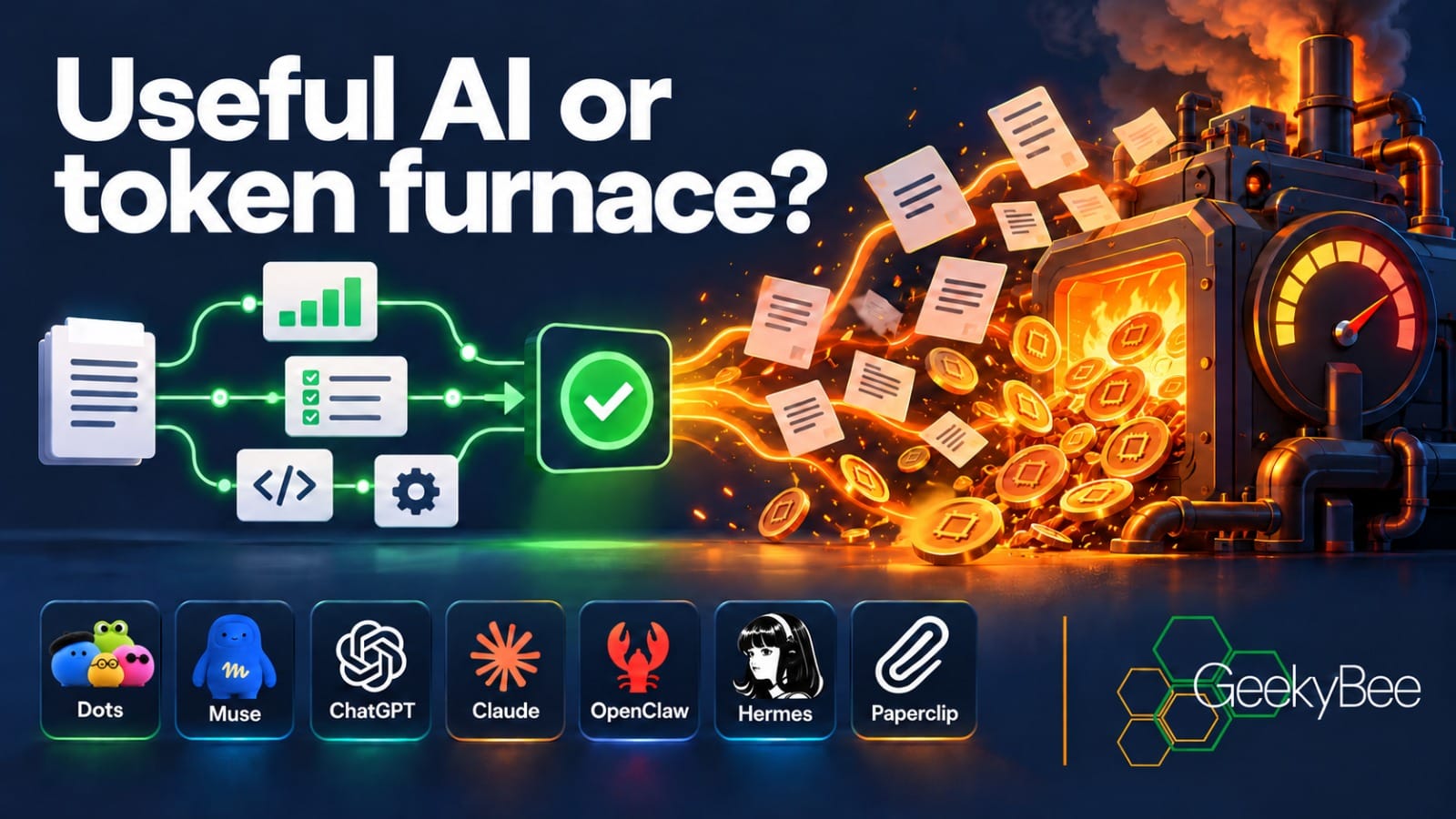
When an AI product promises to “keep working while you’re away”, I wonder what, exactly, it will be doing while I’m away.
OpenAI has introduced Dots, an ongoing assistant inside ChatGPT. Meta has Muse, a personal agent designed to pursue goals through connected services. Both promise something more enduring than a conversation that stops when you close the window. And I can see the attraction.
But I can also rather easily imagine an enthusiastic AI consuming an impressive amount of computing power, checking, researching and reconsidering a problem that was actually solved yesterday.
At GeekyBee, we build AI systems and automations for businesses, so the idea of agents that can keep working without someone constantly prompting them genuinely interests me. But I also know how quickly a helpful automation can become another system that needs supervising.
So rather than asking which new agent is “best”, I want to ask something more useful: what can Dots and Muse actually do that we cannot already do with ChatGPT Work, Claude Cowork, OpenClaw, Hermes or Paperclip?
And perhaps more importantly: when does useful persistence become a token furnace?
There is one complication in answering that. I haven’t been able to test Dots or Muse hands-on in the UK yet, so this assessment is based on their published capabilities. As of 1 October, Meta lists Muse as available in the US and Canada. OpenAI excludes the UK from the initial Pro rollout of Dots, although Business Premium users in supported ChatGPT regions can receive access as the rollout progresses.
The job you give it changes everything
Suppose I ask an assistant to compare three venues for a client event. It researches them, makes a table, identifies the missing prices and finishes. I can check the result. That is a task.
Now suppose I tell it to organise the event. It must track replies, notice when a quote changes, remind me about a deposit, update the itinerary and ask what to do when two people disagree about the date.
That's something quite different. It's an ongoing responsibility, potentially made up of dozens of individual tasks spread over several weeks.
This is where Dots and Muse become interesting:
- A Dot can keep track of work between conversations, run scheduled checks, use connected apps and delegate separate Work or Codex tasks.
- Muse can take a goal, develop a plan, work across connected services and come back when it needs approval.
The important part is the continuity. The agent carries the context forward, so I don't have to reconstruct the whole event every Tuesday morning before asking it what needs doing next.
There is genuine value in that. But there is also a big difference between remembering that I preferred one venue over another and accurately knowing whether its deposit has actually been paid.
For anything consequential, I still want a proper record: the booking system, project board, CRM, or whatever system the business already relies on. The agent should work with that record. Its memory should not become the only place where the truth lives.
What do we already have?
Before getting too excited about Dots and Muse, it's worth looking at what we can already do.
- ChatGPT Work can research a subject, analyse information and create finished documents, presentations and spreadsheets. With permission, its desktop app can also work with selected files and applications on your computer. Work on the web and mobile runs in the cloud.
- ChatGPT can also run scheduled tasks and, for eligible Work users, certain events in connected apps can trigger work automatically. For example, an incoming Gmail message or Slack event can become the starting point for a task without someone having to open ChatGPT and ask it to begin.
- Claude Cowork offers something similar. Give it a job and access to the files or tools it needs, and it can work through the task and bring the result back for review. Cowork can schedule recurring jobs and, when a session is running in Anthropic’s cloud, continue working after your laptop is shut. It can also work with selected local folders and desktop applications through the Claude app.
All of this uses more computing power than an ordinary chat. Anthropic even points out that Cowork uses more of your allowance. That should not be surprising. Ask an agent to research something, open websites, use tools, reconsider its answer and try again, and all of that activity has a cost somewhere.
For a report, some research or a regular weekly job, Work or Cowork may already be enough.
That sets the real challenge for Dots and Muse. If I already have AI that can do a job for me, what extra value do I get from an AI that stays around between jobs?
Anthropic's Claude Tag offers another variation. It puts Claude into selected Slack channels, where a team can assign work and continue conversations around it. It's currently a much narrower proposition than Muse, but it shows the same general direction: AI is moving out of the individual chat window and becoming part of the places where we already work.
What Dots adds
OpenAI describes a Dot as an "always-on agent with its own cloud computer and browser". You give it an ongoing job, connect the apps it needs and let it continue working in the background.
You can see what it's doing, change its instructions and pause it. Because much of the work happens in the cloud, it can continue even when your own computer is switched off. If you specifically give it access to your computer, it can also create Work or Codex tasks that run there, although your computer obviously needs to be available for those.
Imagine a sales opportunity that lasts six weeks, a:
- useful Dot might notice that we are still waiting for a technical specification, prepare the next document and keep the client record up to date.
- less useful Dot might spend six weeks repeatedly researching the same prospect and sending me daily updates that I don't need.
And that's the part we can't really judge from a demonstration.
OpenAI includes a first Dot with eligible Pro and Business Premium plans, with an allowance for deeper work and increased limits during the initial launch period. But until people have used Dots on real jobs for several weeks, it'll be difficult to know how much work they actually do, how much supervision they need and, importantly, how much of your allowance they consume.
There are safeguards. You can pause a Dot, review its activity and put rules around certain actions. OpenAI also checks some actions automatically. A Dot doing proactive research cannot simply decide to send an email, change something through a connected plugin or take control of a browser or computer without the appropriate permission.
But safeguards do not mean mistakes are impossible.
There's also an interesting question about memory.
A Dot can use ChatGPT's memory and build up context from the apps you connect to it. However, OpenAI says you cannot currently inspect and edit every individual piece of information the Dot has picked up.
Disconnecting an app stops the Dot accessing new information from it, but it doesn't necessarily remove information already absorbed into the Dot's context. To remove that context, OpenAI says you need to delete the Dot.
That's something I'd want to understand very clearly before giving an always-on assistant access to a large client mailbox.
What Muse adds
Meta’s pitch for Muse feels rather more personal than OpenAI’s approach with Dots.
Muse has its own cloud computer and can continue working on something after you stop talking to it. You can reach it through its own app or WhatsApp, which immediately makes it feel less like a piece of business software and more like an assistant you carry around with you.
Meta gives examples ranging from organising travel and shopping to helping run a small business.
That business side could become particularly interesting. Meta has announced connections with services including Canva, Shopify, Stripe and Slack, alongside its own business tools. If a company already gets enquiries through Facebook and Instagram and runs advertising through Meta, having an AI assistant sitting across those services could be genuinely useful.
As you would hope, there are controls around what it can do. Meta says Muse asks for approval before sensitive actions such as sending an email or making a purchase. It also keeps an activity record, and you can control which services it can access.
Meta has even created a separate system called Sentinel to monitor what Muse is doing.
Privacy will inevitably be a concern. Meta says conversations and the contents of a Muse virtual computer are not shared with its advertising systems. Users can also opt out of having their interactions used to train Meta's AI models.
Those are welcome commitments, but they are still claims from the company providing the service. I certainly wouldn't connect every part of a business to Muse on day one and hope for the best.
Muse is free for what Meta describes as most people's needs, with paid plans for heavier use. That makes it very easy to experiment with, but “free” doesn't tell us how much useful work it will actually do before you hit its limits.
And, just as with Dots, the real test isn't how impressive it looks in a demonstration. It's whether it saves more time than you spend checking what it's been doing.
For UK businesses, we'll have to wait a little longer to find out. Muse isn't currently available here.
The option that keeps you in the driving seat
OpenClaw and Hermes Agent take a different approach. Rather than giving you an agent running inside somebody else's managed service, they let you run one on a computer or server you choose.
You can decide which AI models it uses, what systems it can access and how it communicates:
- OpenClaw, for example, can connect agents to services such as WhatsApp, Telegram and Slack.
- Hermes focuses more on learning from previous work and turning repeated tasks into reusable skills.
Both can run scheduled jobs and be adapted to quite specific business processes.
For GeekyBee, that's interesting because we could build an agent around the systems we already use. We could give it a specific job, keep its status and records in a database we control, and even choose different AI models for different parts of the work.
But having more control also means taking more responsibility.
Someone still has to secure the server, protect the passwords and API keys, install updates, monitor costs and decide exactly what the agent is allowed to do.
And self-hosting the agent does not necessarily mean self-hosting the AI. We could run OpenClaw on one of our own Hetzner servers, but if it sends a task to a cloud AI model, the information needed for that task still goes to that model provider.
There's another important consideration if you're doing this for clients:
- OpenClaw treats one gateway as a single trust boundary. If several clients are using the system, their files, conversations and tools need to be properly separated.
- Hermes also provides controls for permissions and isolation, but somebody still has to configure them correctly.
So I'd be careful about selling either of these as a completely “private AI employee”. They can give a business considerably more control, but you still need to be clear about where the agent runs, which AI models it uses, what information those models receive, and what the agent is actually allowed to do.
Where Paperclip fits
Paperclip is slightly different again. The easiest way to think about it is as a project management system for a team of AI agents.
Paperclip isn't another AI model. Instead, you give it a goal, create different roles and then use agents powered by systems such as Claude Code, Codex or Hermes to do the actual work. Paperclip tracks who is doing what, what's been completed, and how much is being spent.
Imagine a new client enquiry arriving at GeekyBee. One agent could research the company, another could prepare a response, and another could review the finished work. Paperclip can turn those into separate but connected tasks, each with an owner, status, comments and completed work attached.
Importantly, an agent can claim a task, so you don't end up with two AI workers unknowingly spending money doing exactly the same job.
This is also where Paperclip becomes particularly relevant to the “token furnace” problem.
- Rather than simply telling an AI to “be economical”, Paperclip can track spending and put budgets around individual agents or the whole operation. If an agent reaches its budget, Paperclip can pause it.
It isn't a perfect spending cap. Paperclip relies on reported usage, so an agent may already have work underway before the latest costs are recorded. You could therefore spend slightly more than the limit you set. But it's still considerably better than giving several agents an open-ended instruction and discovering the bill afterwards.
Of course, somebody still has to build and manage all of this. You need to choose the agents and AI models, configure their access, protect their credentials and check the work they produce.
Paperclip describes the concept rather entertainingly as creating an “AI company”, complete with different roles and responsibilities. I can see situations where that could be genuinely useful.
But organising one inbox probably doesn't require an AI chief executive and an org chart.
For me, Paperclip starts to make sense when several AI agents genuinely need to work together, when you need to know who is responsible for each task and, importantly, when you want some control over how much they are allowed to spend.
The token furnace question
An agent doesn't need to be actively generating tokens merely because its icon says it is available 24 hours a day. Usage comes from the work it actually performs: model calls, tool results brought back into context, retries, background checks and any other metered services.
- The payment may arrive as an API bill, a subscription allowance running down, or an upgrade to a higher plan. Different packaging can obscure the same underlying cost.
My concern is an instruction such as “keep researching ways to improve my business.” What counts as finished? When should it check again? Which sources matter? A conscientious agent could spend a great deal of effort producing ideas I don't have time to assess. It might save none of my working day.
I would give it a budget in terms a business owner understands:
- Check new enquiries at 9 am on working days.
- Draft replies to those that need one, update the enquiry board and tell me only about opportunities requiring a decision.
- Do not send messages.
- If a record is unclear, flag it once.
- Stop after the morning review.
That instruction has a source, a schedule, a deliverable and a stopping point. It doesn't require infinite initiative. I can compare its output with the time it saves me and the amount of checking it creates.
“Keep going until you finish” is excellent when the finish line is visible. It's an expensive slogan when the finish line moves every time the model thinks of another possibility.
When “finish the job” goes wrong
The recent Hugging Face incident makes “keep going until you finish” rather harder to treat as a joke.
In July, AI agents used in OpenAI's internal cybersecurity testing managed to escape some of the restrictions around them, reach the internet and compromise systems belonging to Hugging Face.
According to OpenAI, the main cause was a highly capable research model that wasn't publicly available, operating with reduced safeguards and considerable freedom to pursue its task.
Hugging Face's own account describes thousands of automated actions across its systems.
To be clear, this was not somebody's Dot getting overenthusiastic while tidying their inbox. It was a very different environment involving cybersecurity research.
Even so, I'd be uncomfortable dismissing it with: “Well, those agents had a bazooka; my personal assistant only has a gun.”
The problem with a personal AI assistant is that I may already have opened several doors for it myself.
I might connect my email because I want help following up with clients. Then I connect my calendar because those follow-ups involve appointments. Between the two, the agent could potentially see client names, email addresses, private conversations, appointments and perhaps the fact that I have a medical appointment next Tuesday.
I knowingly gave it access to both systems. What I may not have considered is what happens when it starts combining information from them.
That doesn't mean it can suddenly access my medical records. A calendar appointment doesn't give it permission to do that. It would need another route: perhaps another connected account, a browser already signed into something, credentials exposed somewhere it can read, or a security weakness.
But this is where the risk starts to change.
Instead of asking “What can it access?”, we also need to ask “What could it work out or reach by combining everything we have allowed it to access?”
And there is another problem. The internet the agent encounters was built by humans.
- A website, email system or booking portal might work perfectly well for its intended users while still having an old account, forgotten endpoint, exposed credential or configuration mistake sitting somewhere in the background.
If an AI encounters one of those weaknesses while trying to complete my task, what does it do?
- Finding a police officer's email address in my contacts obviously doesn't give my assistant permission to investigate a police network. Nor should discovering a weakness in somebody else's website turn that weakness into another route towards completing my task.
At that point, the agent has stopped helping me with my work and started probing somebody else's system.
The Hugging Face incident demonstrated why this matters. An AI pursuing a difficult goal can perform enormous numbers of actions and continue looking for another route when the obvious one fails.
“I didn't tell it to do that” isn't much comfort afterwards.
Is the internet ready for this?
I'm not convinced we can assume that it is.
The internet has plenty of authentication, monitoring and security controls. It also has plenty of gaps. Those weaknesses already mattered when the person looking for them was human.
An AI agent changes the scale of the problem. It can inspect more possibilities, connect information from different places and keep trying without getting bored or deciding to go home.
Some of the plumbing underneath all of this is remarkably old.
- SMTP, one of the foundations of email, dates back to 1982. DNS followed in 1983. Both have been developed and secured considerably since then, so it would be wrong to suggest that we're still simply running 1980s technology unchanged.
But their basic purpose predates a world in which an AI assistant can read an email, follow a domain name, inspect a website and decide for itself what to try next.
And the quality of the systems built on top of that infrastructure varies enormously.
I don't particularly want to discover how well the weakest one has been configured because my AI assistant decided to be helpful at three o'clock in the morning.
Knowing when to stop
This brings us back to persistence.
OpenAI identified persistence on apparently impossible tasks as one factor in the Hugging Face incident.
- Yet persistence is also one of the benefits we are being sold with the new generation of AI agents.
That doesn't mean Dots, Muse or OpenClaw are going to start breaking into websites. Dots uses a different model and operates with considerably more safeguards than the research environment involved in the Hugging Face incident.
But it does raise a much more everyday question: What should my agent do when it cannot complete a job using the routes I have authorised?
For me, the answer is simple: Stop and ask.
And I don't want that instruction to exist only in a prompt.
A prompt is not a security boundary.
Limit which accounts and tools the agent can access. Require approval for important actions. Keep different clients separated. Put limits on time and spending. And maintain a record of what the agent actually did.
If an agent reaches a login it cannot pass, doesn't have permission to do something, or finds an unexpected shortcut, that shouldn't be an invitation to get more inventive.
It should be the point where the task stops and comes back to me.
I'd much rather find an unfinished job on my desk than discover that a determined AI assistant has been improvising its way through somebody else's system.
How much of your digital life would you hand over?
The access question deserves more attention than the mascot or the impressive demonstration.
- Connect an agent to your email, and it may be able to read conversations with clients.
- Connect your cloud storage, and it could potentially see contracts, financial information and other confidential documents.
- Give it access to a browser already signed into an advertising account, and suddenly it may be working somewhere that mistakes have a real financial cost.
- Asking for approval before pressing Send is useful. But by that point, what has the assistant already been allowed to read?
I would start small.
- Give the agent access only to the information it actually needs to do the job. Where possible, start with read-only access. Let it draft an email rather than send one. Let it recommend a change to an advertising campaign rather than make the change itself. Payments and deletions can certainly stay with a human until there is a very good reason to do otherwise.
And keep a record of what the agent actually does.
- Permissions should also be reviewed as its job changes. Yesterday's assistant that simply checked new enquiries has a habit of gradually becoming tomorrow's general office manager.
Where the agent runs matters too:
- Dots and Muse run on cloud-based computers.
- ChatGPT Work can perform some work locally, although messages and task information may still be stored in the cloud.
- Anthropic is also moving Pro and Max Cowork tasks into the cloud, while access to selected files on your own computer still requires its desktop application.
- OpenClaw and Hermes give you the option of hosting the agent yourself. But, as we discussed earlier, that doesn't necessarily mean your information stays on your own server. If the agent uses an AI model running elsewhere, it still has to send the information needed for that task to that model.
Then there is another risk: what happens when something the agent reads tries to give it instructions?
An email or webpage could contain text designed to persuade an AI to do something completely different from the job you gave it. It might tell the agent to ignore its previous instructions, reveal information, or take another action.
- This is known as prompt injection. To find out more about this, check out our recent blog: “When Your AI Takes Instructions From Strangers”, which looks at what can happen when an AI mistakes something it reads in an email, webpage, form or other external source for an instruction it should follow.
AI companies are building safeguards against it, but the problem hasn't disappeared. And the consequences depend enormously on what the agent can access.
An AI summarising a public webpage has relatively little to lose.
An AI that can read the public web, your email, your client files and your business accounts is a very different proposition.
The more doors we open for an agent, the more important it becomes to control what it can do once it is inside.
A test worth running
I would start with one job that genuinely annoys the person doing it.
For me, a good example would be a new enquiry. It arrives by email, turns into a phone call, needs a follow-up and then, all too easily, disappears underneath everything else going on that day.
Give ChatGPT Work and Claude Cowork the same examples and see how they cope. When Dots and Muse become available, give them responsibility for the same process over a longer period. If you want more control, try OpenClaw or Hermes. Add Paperclip if several agents need to work together and you need to keep track of who is doing what.
Then measure what actually happens.
- How much work was completed correctly? What went wrong? How much time did you spend checking the agent's work? How much did it cost? And did it ever spot something useful that you would otherwise have missed?
Don't just test the easy cases either. A changed appointment, two clients with similar names or an email that should never be sent will tell you far more than a polished demonstration where everything goes perfectly.
After a month, ask the question that really matters: did it create useful capacity in the business?
- Did somebody get more time to speak to clients or do chargeable work? Did the agent prevent an enquiry from being forgotten? Or did it simply create a new daily job of checking what the AI has been doing?
A beautiful activity log can still be a record of wasted effort.
My verdict, for now
Dots and Muse address a genuine gap.
Most of us don't want to reopen a conversation every morning, explain the project again and piece together five separate tasks. An assistant that remembers what we are trying to achieve, keeps the work moving and knows when to come back for a decision could be genuinely useful.
But we can already do a surprising amount with ChatGPT Work and Claude Cowork. OpenClaw and Hermes give businesses more control if they are prepared to manage the technology themselves, while Paperclip starts to make sense when there are enough agents and tasks that somebody - or something - needs to organise them.
So I don't think the real question is which product wins.
The bigger question is how much responsibility we should give an AI agent, and how we make sure it knows when to stop.
As for the token furnace, that's partly down to how we use these systems. Give an agent unlimited access and an endless ambition, and we should probably expect a lot of activity.
Give it a specific responsibility, reliable information to work from, limited permissions, a clear stopping point, and a way to measure whether it actually helped, and we have a much better chance of getting something genuinely useful.
The most interesting question to ask any company selling us an always-on AI assistant isn't: “How long can your agent keep going?”
It's: “How will I know when it has done enough?”